title: Note Pin Plugin Usage Guide - Web Notes Tutorial description: Detailed tutorial for using the Note Pin web notes plugin, including note creation, color settings, fixed display, custom styling and other features. head:
- ['meta', { property: 'og:title', content: 'Note Pin Plugin Usage Guide - Web Notes Tutorial - A Mao Network' }]
- ['meta', { property: 'og:description', content: 'Detailed tutorial for using the Note Pin web notes plugin, including note creation, color settings, fixed display, custom styling and other features' }]
- ['meta', { property: 'og:type', content: 'article' }]
- ['meta', { property: 'og:url', content: 'https://www.maoyl.top/en/docs/note-pin/2-use' }]
- ['meta', { property: 'og:image', content: 'https://www.maoyl.top/logo/logo-512.png' }]
- ['link', { rel: 'alternate', hreflang: 'zh', href: 'https://www.maoyl.top/zh/docs/note-pin/2-use' }]
- ['link', { rel: 'alternate', hreflang: 'ja', href: 'https://www.maoyl.top/ja/docs/note-pin/2-use' }]
Note Pin Plugin Usage Guide
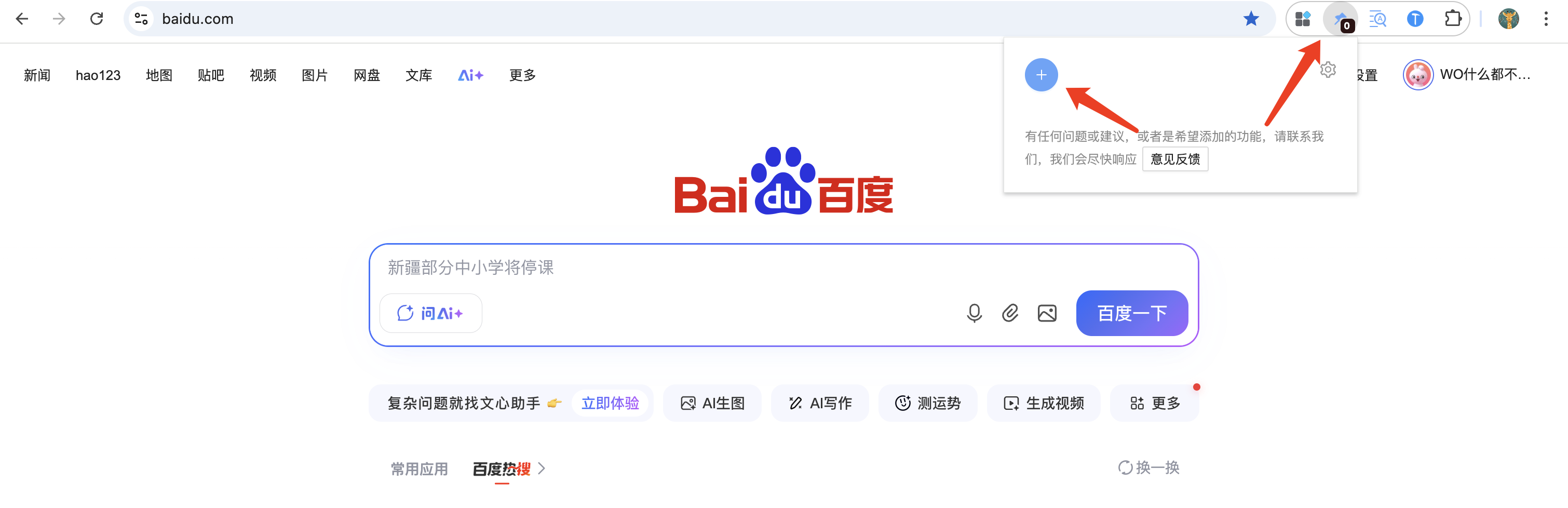
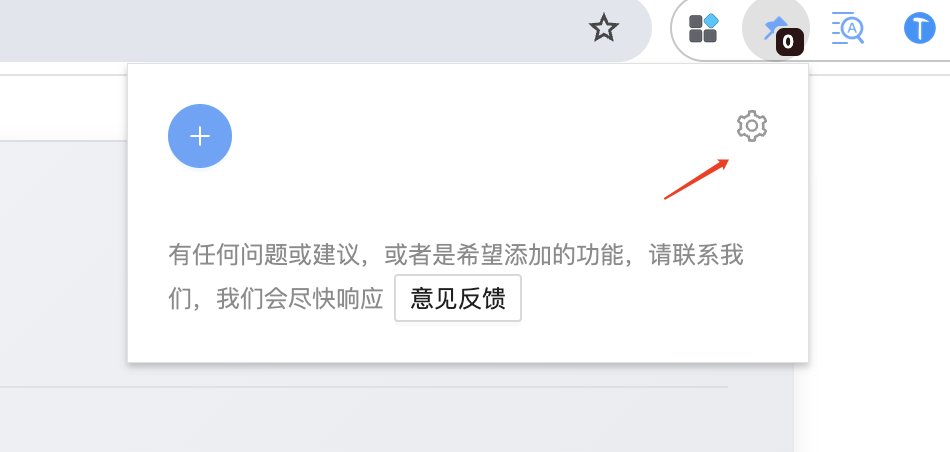
- Click the plugin icon to open the plugin popup
- Click the + icon to add a new note on the current webpage
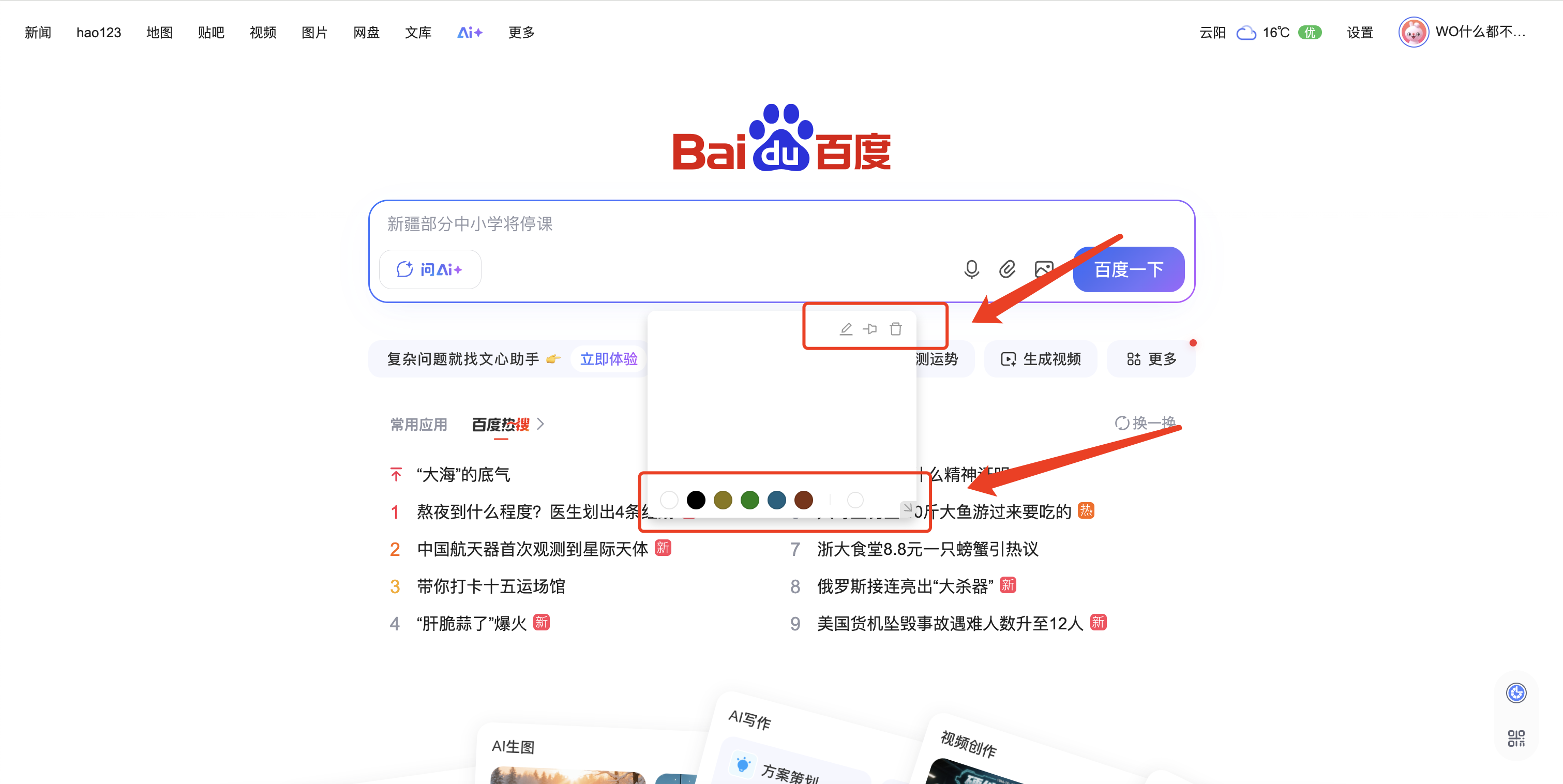
Three action buttons at the top of the note:
- Edit content
- Pin to page/Follow page scroll
- Delete
Color icon at the bottom can change note color, and also supports custom colors
Custom Styles
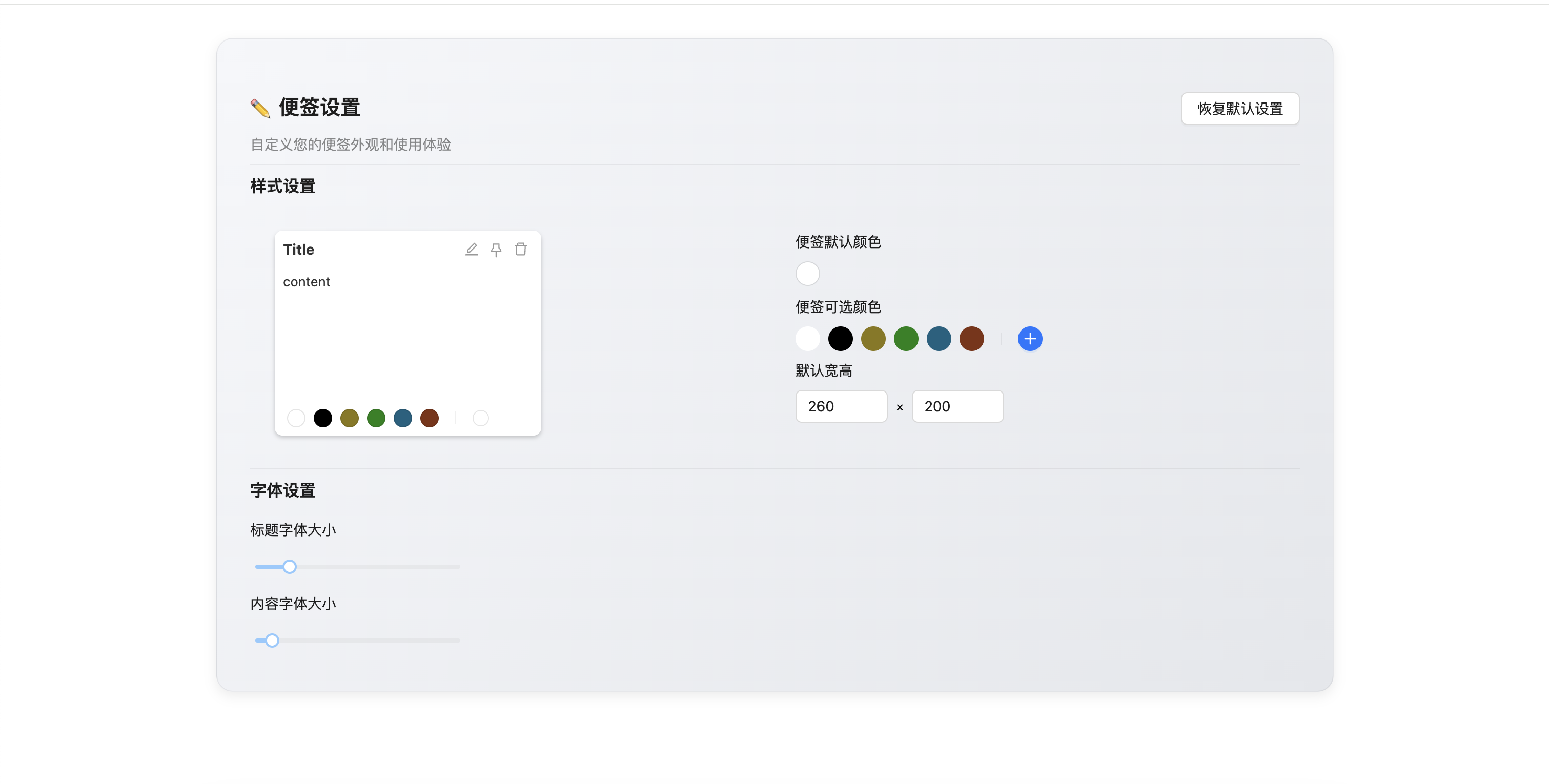
Click the settings button in the plugin popup to customize note font size, width/height, background color, etc.